Why I haven't Released my BLENDER 3D Alternative.. YET | Stove
✅ Get Cave Engine: https://uniday.studio/cave
➡️ My Discord Channel: https://uniday.studio/link/discord
✅ Buy me a Coffee (Patreon): https://uniday.studio/link/patreon
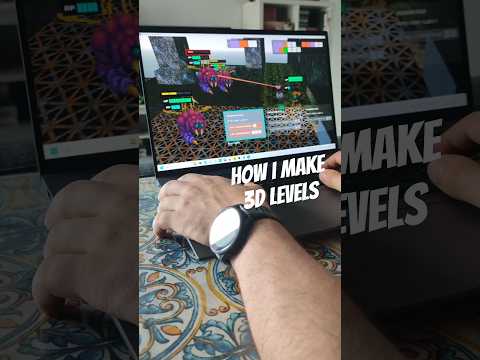
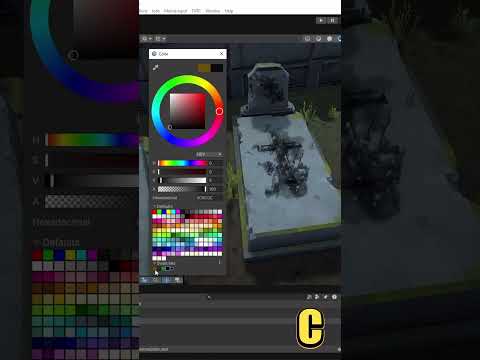
Stove is a lightweight 3D modeling and texture painting tool designed specifically for game asset creation. In this video, I explain why the software is not publicly available yet, demonstrate its streamlined modeling workflow, and show how you can create, paint, preview, and export low-poly or retro-style assets without manually configuring UV maps, materials, shaders, or complex Blender workspaces.
I also showcase several features added while using Stove in real production, including multiple assets inside a single project, texture pixelation, ambient occlusion, face orientation tools, a UV visualizer, contextual shortcuts, and the Asset Zoo. Finally, I discuss the planned release, OBJ export, project backups, pricing, and why extensively testing the software before launch is essential for delivering a polished and reliable experience.
00:00 What Is Stove?
00:17 Why Stove Is Not Available Yet
00:28 A Simpler Workflow for Game Assets
01:01 Modeling and Painting Without UV Setup
02:08 Why We Are Testing Stove Before Release
03:15 Our Experience Building Game Development Tools
04:35 What Stove Is Actually Designed For
05:39 Why Blender Can Feel Overwhelming
07:38 Managing Multiple Assets in One Project
08:35 Masks, Gradients and Texture Painting
09:19 Pixelation, Ambient Occlusion and Normal Tools
11:17 The Asset Zoo and Object Scale
13:50 Contextual Shortcuts and Workflow Improvements
14:59 Stove Pricing and Release Plans
15:44 OBJ Export and Project Backup Protection
17:40 Final Development Before Launch
························································
► Uniday Studio
By: Guilherme Teres Nunes


![1 DEV from EVERY COUNTRY makes a VIDEO GAME! [episode 1]](https://img.youtube.com/vi/xN-otEIg9Po/hqdefault.jpg)




![[게임 개발 일지 111] 검사 파티 이동 모션 찐막 수정 #게임 #1인개발 #indiedev](https://img.youtube.com/vi/-fniiRWyhj8/hqdefault.jpg)





![[2D 게임 개발 꿀팁 시리즈] 스프라이트 아틀라스](https://img.youtube.com/vi/FHHm73vgABw/hqdefault.jpg)
![[2D 게임 개발 꿀팁 시리즈] 텍스처](https://img.youtube.com/vi/eXgMHUu9bls/hqdefault.jpg)

![[2D 게임 개발 꿀팁 시리즈] 2D 애니메이션 샘플](https://img.youtube.com/vi/-SQtbs9tyxw/hqdefault.jpg)

![[2D 게임 개발 꿀팁 시리즈] 2D 게임 최적화 팁](https://img.youtube.com/vi/Rw2u-ScXN4I/hqdefault.jpg)





![[2D 게임 개발 꿀팁 시리즈] 2D 애니메이션](https://img.youtube.com/vi/lStxewSNxNA/hqdefault.jpg)

![[2D 게임 개발 꿀팁 시리즈] Variant Sprite Atlas](https://img.youtube.com/vi/uWy9Rwv7DBs/hqdefault.jpg)




![[2D 게임 개발 꿀팁 시리즈] Sprite Atlas 주의점](https://img.youtube.com/vi/TPOxYjsioqY/hqdefault.jpg)