How a PRO builds a Weapon System!
🌍 How to Publish your Games on Steam! https://cmonkey.co/publishsteam
🔥 Learn how to make ANY game! https://cmonkey.co/practicepack
🌍 FREE Complete Courses! https://cmonkey.co/freecourses
✅ FREE Game Dev Insights! https://cmonkey.co/gamedevreportnewsletter
🎮 Get my Code Monkey Toolkit! https://cmonkey.co/toolkit
👍 Join my Game Dev Practice Lab FREE! https://cmonkey.co/practicelab
🔴 RELATED VIDEOS 🔴
How to Write High Quality Code that doesn't fall apart. https://www.youtube.com/watch?v=m0s3IUrWzVQ
Learn how to write PRO level code with this DEEP DIVE! https://www.youtube.com/watch?v=RXf1jsXxWkg
How REAL Developers Build Complex Games! https://www.youtube.com/watch?v=4kg2N-t2tWI
How do you REFACTOR code? (EXTREMELY Important!) https://www.youtube.com/watch?v=SFVSgORBgOg
Learn C# FREE Tutorial Course Beginner to Advanced! [12 HOURS] https://www.youtube.com/watch?v=qZpMX8Re_2Q
How to Write High Quality Code that doesn't fall apart. https://www.youtube.com/watch?v=m0s3IUrWzVQ
Learn Problem Solving (FREE Course, MOST VALUABLE skill) https://www.youtube.com/watch?v=Jgw5Z40Q1vc
Escape Tutorial HELL with my Game Dev Practice Lab! https://www.youtube.com/watch?v=Ng0VH0SmqRo
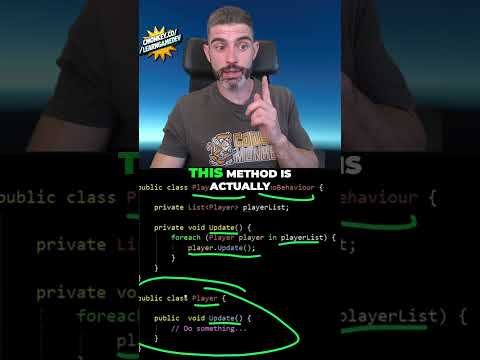
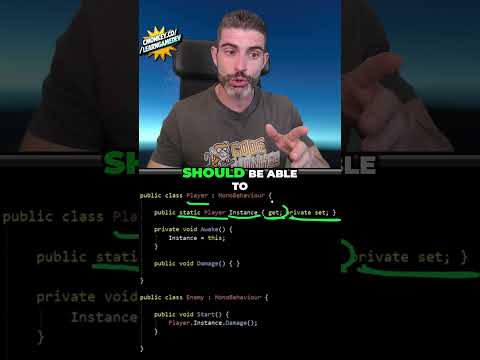
💬 Here I walk through a detailed Unity C# refactor, from fixing names and access modifiers to separating weapon data, runtime state, visuals, UI, and input. I also replace string-based damage calls with an interface and test along the way to catch mistakes as the code changes.
TIMESTAMPS
00:00 Intro
01:16 Refactoring goals and architecture overview
10:04 Renaming fields without losing Inspector references
15:42 Access modifiers and SerializeField
19:17 Formatting code for readability
20:04 Switching to the Input System
22:08 Creating a shared Weapon base class
25:40 Moving weapon data into ScriptableObjects
30:02 Creating runtime weapons from data
34:56 Refactoring pistol ammo and reloading
41:54 Moving shooting logic into weapon classes
47:05 Refactoring the shotgun
51:45 Refactoring the rocket launcher
58:28 Separating weapon visuals with events
01:05:07 Shotgun and rocket launcher visuals
01:09:55 Replacing weapon switches with polymorphism
01:17:39 Moving UI into an event-driven class
01:24:08 Fixing startup event ordering
01:26:07 Separating shared audio and pickup effects
01:28:20 Replacing magic numbers
01:29:48 Centralizing input with GameInput
01:35:22 Cleaning up ammo pickups
01:36:36 Cleaning up rocket projectiles
01:37:20 Replacing SendMessage with IDamageable
01:39:21 Reviewing the refactor and final architecture
📝 Some Links are Affiliate links which means it costs the same to you and I get a nice commission. Thanks for using them!
If you have any questions post them in the comments and I'll do my best to answer them.
🔔 Subscribe for more Unity Tutorials https://www.youtube.com/channel/UCFK6NCbuCIVzA6Yj1G_ZqCg?sub_confirmation=1
See you next time!
--------------------------------------------------------------------
Hello and Welcome!
I'm your Code Monkey and here you will learn everything about Game Development in Unity using C#.
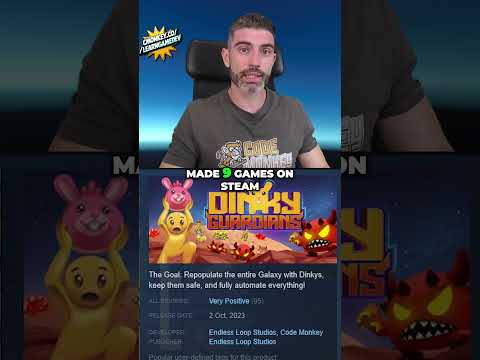
I've been developing games for several years with 9 published games on Steam and now I'm sharing my knowledge to help you on your own game development journey.
I do Unity Tutorials on just about every topic, Unity Tutorials for Beginners and Unity Tutorials for Advanced users.
--------------------------------------------------------------------
- Website: https://unitycodemonkey.com/
- Twitter: https://twitter.com/UnityCodeMonkey
- Steam: https://store.steampowered.com/developer/EndlessLoopStudios