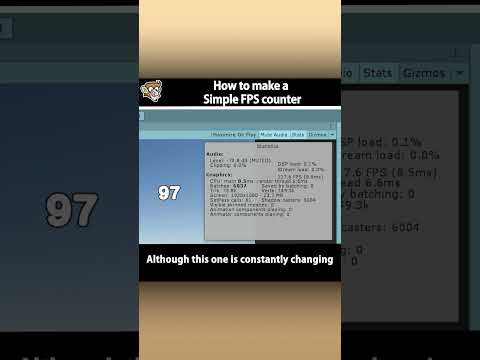
Rendering Statistics window.
Is your Unity 6 game eating too much memory? 🎮
The updated Rendering Statistics window gives you a real-time breakdown of your project's performance, so you can stop guessing and start optimizing.
In this tip, we cover what's new in the Rendering Statistics window in Unity 6, including how quick access to the Profiler and more accurate and detailed metrics can help you better identify bottlenecks and prioritize fixes.
#Unity3D #GameDev #UnityTips #UnityLearn





![[2D 게임 개발 꿀팁 시리즈] 2D 게임에 3D 오브젝트 쉽게 사용하는 방법](https://img.youtube.com/vi/8ytJW1I6Agg/hqdefault.jpg)
![[2D 게임 개발 꿀팁 시리즈] 메모리 절약 스프라이트 5가지](https://img.youtube.com/vi/-cxbULpRSXE/hqdefault.jpg)


![[2D 게임 개발 꿀팁 시리즈] 2D 배칭 조건](https://img.youtube.com/vi/5DstF95ojw0/hqdefault.jpg)






















![[2D 게임 개발 꿀팁 시리즈] Runtime Sprite Atlas](https://img.youtube.com/vi/ocFwQ4sogDo/hqdefault.jpg)